
Give the schedule a useful view for each question.
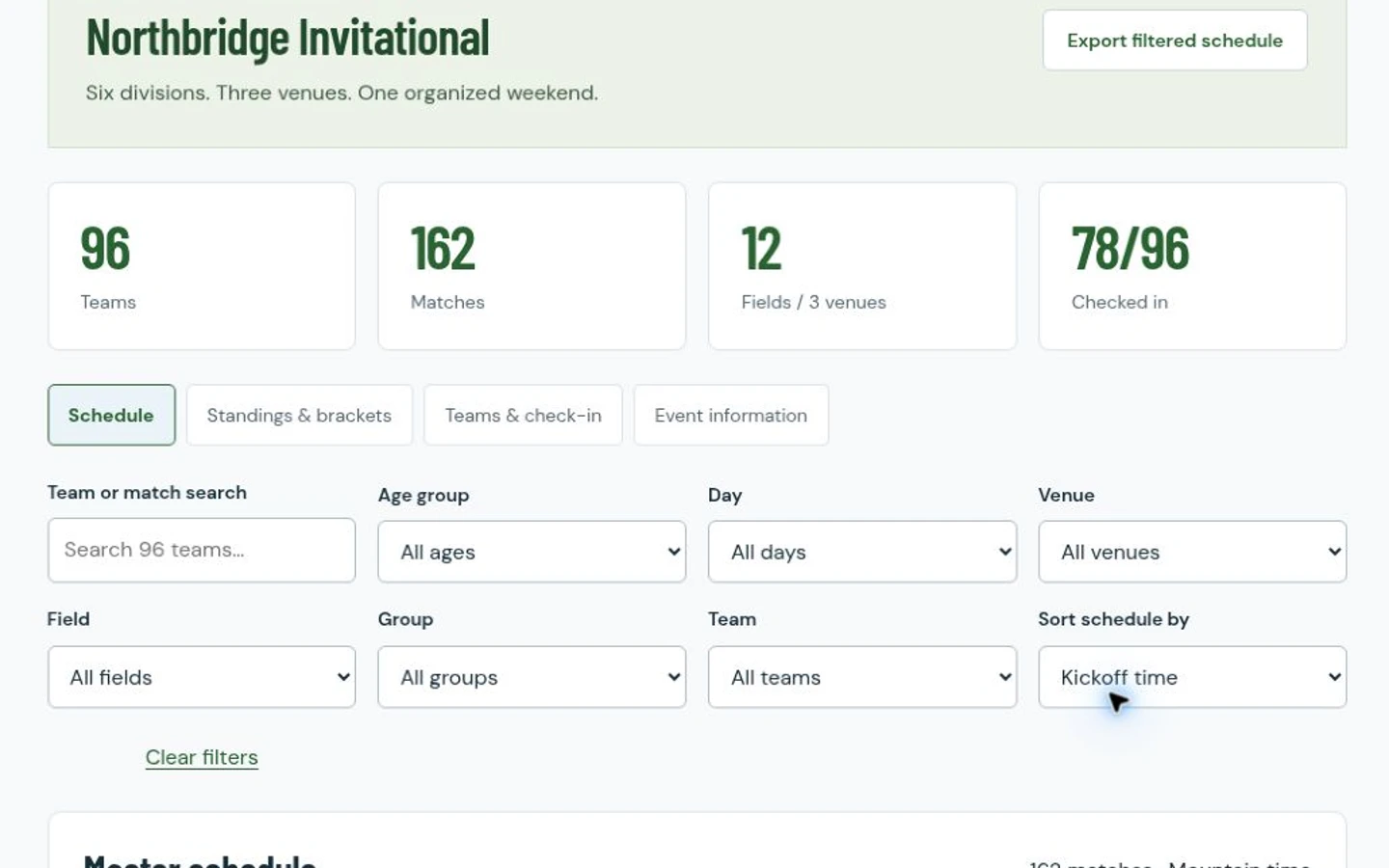
The public tournament example contains a fictional event with divisions, groups, teams, fields and venues. The schedule can be filtered by age group, day, venue, field, group and team. Selecting a team opens its relevant fixtures, while a filtered schedule can be exported as CSV.
Those views answer practical questions: where is this team playing, what is happening on this field, and which fixtures remain in this group? Your event may need a different format. We start with its actual rules and operating decisions.
Show the consequences of a fixture change.
In the populated example, a group match’s day, kickoff and field can be edited. Validation checks the example’s field and team conflicts, recovery time and group-stage cutoff. Both scores can be entered together, updating group standings and qualifying semifinal places.
The demo has a specific competition format, including its own tie order and scheduled knockout slots. Knockout result entry is outside this demonstration. A new project would need your format, qualification rules and exception-handling process agreed explicitly.
Keep the event desk’s information together.
A team view includes check-in status, and event information describes the example venues and weekend structure. Staff can mark sample teams as checked in. An editable attendee notice shows a preview of event wording; it does not send messages.
These are distinct tasks with different responsibilities. Before adding registration, payments, eligibility documents or notifications to a project, we would examine how your event handles them and define the necessary scope. Their presence in a real tournament does not mean they already exist in this software.
See the workflow in software
Tournament Operations: fictional event example
Explore the schedule, standings, teams and event information for the Northbridge Invitational demonstration. Its team and match counts describe sample data, not a measured business result.
An empty tournament starting point
Try the separate blank tournament workspace to explore entering sample event details. Use fictional information when experimenting with either public demonstration.
Explore An empty tournament starting pointQuestions about your project
Is this a ready-to-buy tournament subscription?
It is a public example of custom software. A commissioned system would be scoped around your event, competition format, users and operating requirements rather than sold as this fixed demonstration.
Can we use different scheduling rules?
Your field availability, match lengths, recovery rules and group structure would be part of discovery. The example demonstrates its own rules; it is not evidence that every competition format is already supported.
Does the example send notices or take payments?
No. The attendee notice is preview-only, and payment processing is not demonstrated. Any communication or payment workflow would require separate agreement and implementation.
Related soccer workflows
Show us how you work.
What is one part of your current workflow that you wish worked differently?
Show Us How Your Club Works